OAS
Oracle Analytics Server - Data Visualisation Access Issue
Daniele Levis Pelusi Oracle Analytics Server 5.5.0 was recently released and I've been testing out the OAS installation process. This short blog post just goes through some issues that I encountered during this process…

Oracle Analytics Server 5.5.0 was recently released and I've been testing out the OAS installation process. This short blog post just goes through some issues that I encountered during this process related to access to Data Visualisation.
I did an out-of-place upgrade which went remarkably smoothly and imported a BAR file from a 12.2.1.4 OBIEE instance into the new OAS instance. The problem I had was to do with access to Data Visualisation.
When I tried to access the Data Visualisation page (server:port/dv/ui), I got an insufficient permissions error:

After some digging around, it transpires that there were some WebLogic Application policies that weren't assigned to any Application Roles. Oracle Support pointed me in the direction of this Support Document - Oracle Support Document 2644363.1. The 12.2.1.4 BAR file import wrote over some of the default WebLogic application permissions.The actio.admin permission needs to be granted to the BI Service Administrator application role. This is all done in em (WebLogic Enterprise Manager).
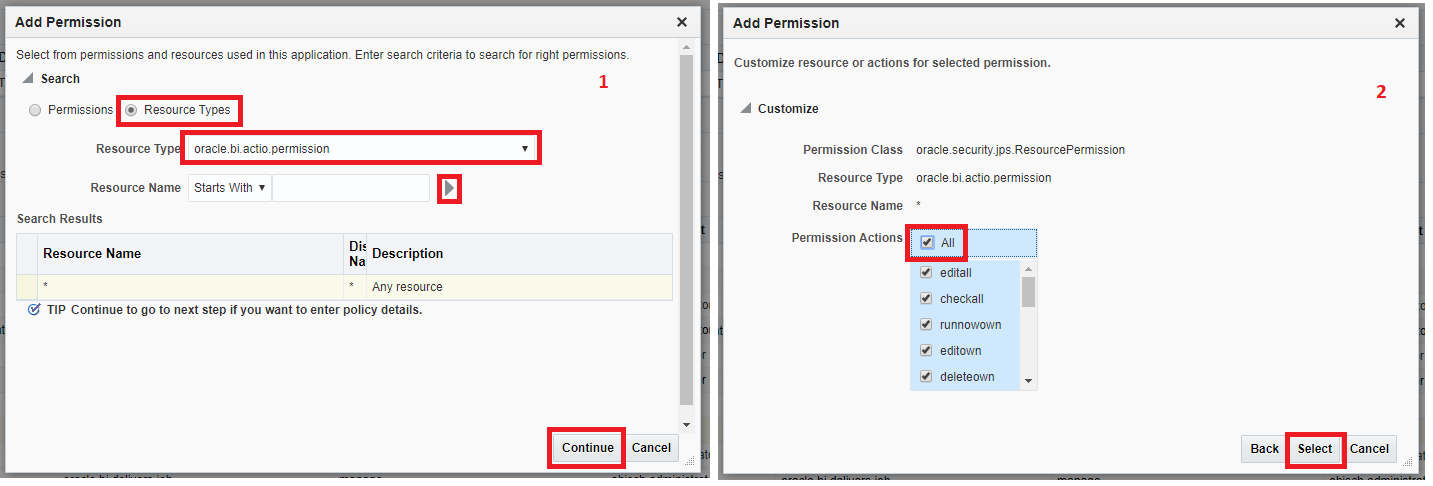
To compartmentalise the Data Visualisation security, I'd highly recommend creating 2 Application Roles:
- DV User
- DV Administrator
These roles will have the appropriate Application Policies and Resource Types assigned. These roles can then be assigned as required to the appropriate users.For example, the DV Administrator role can be assigned to a WebLogic administrator or to the BI Service Administrator role.
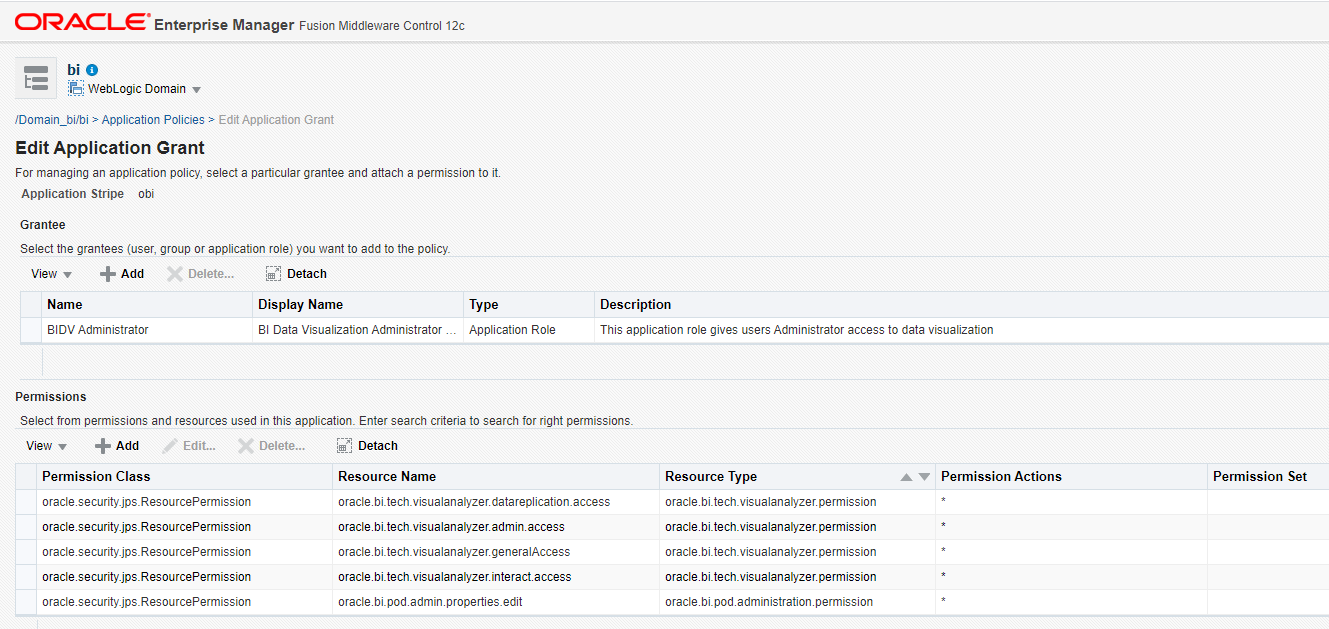
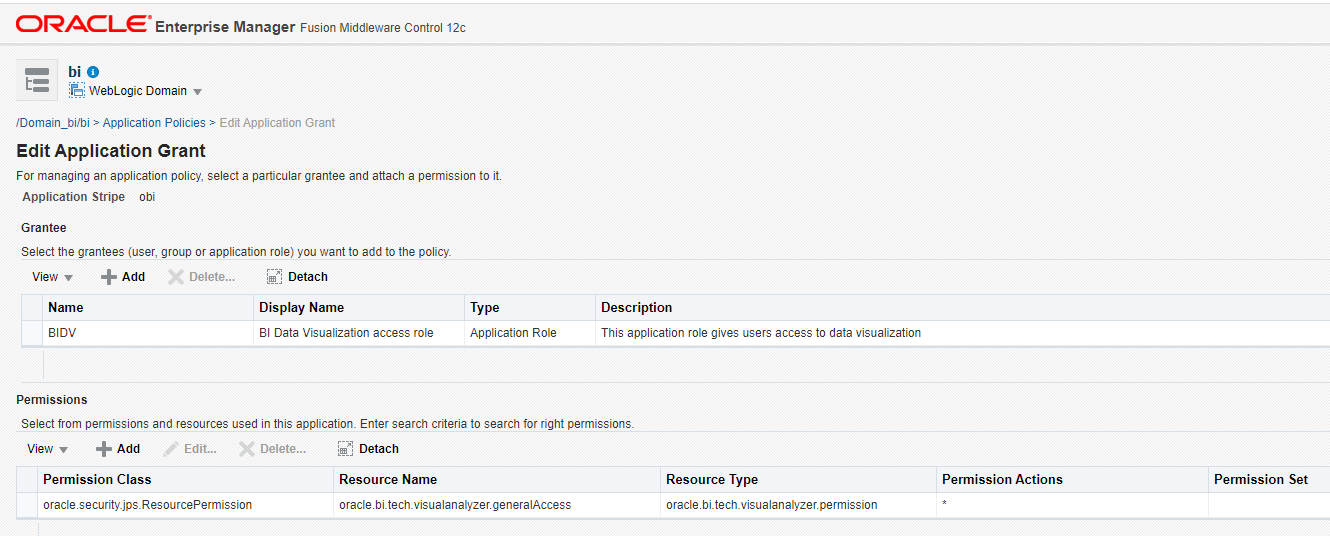
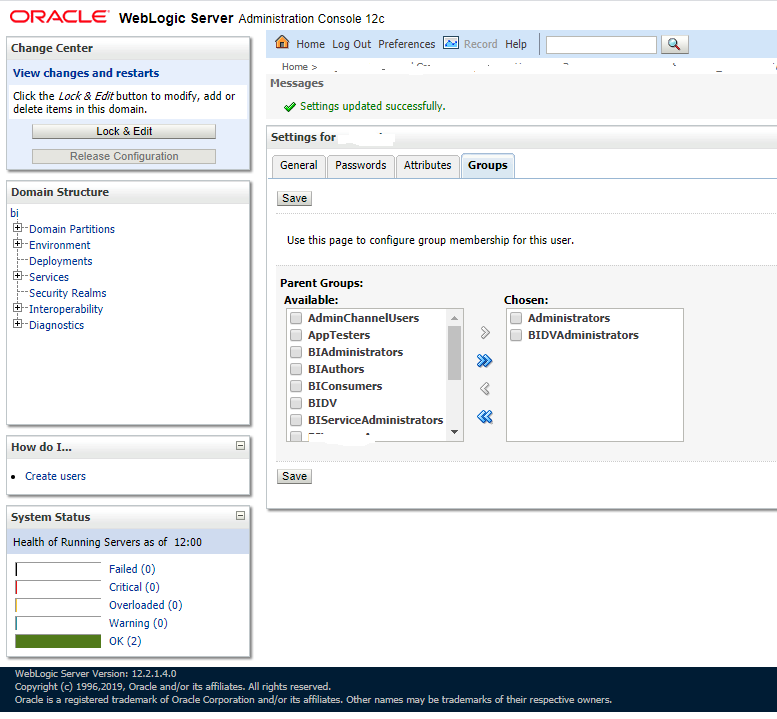
I was about to publish this blog and the Oracle Support folk just put together a new Support Document based on this issue with overwritten WebLogic application policies after an import of a 12.2.1.4 BAR file into an OAS instance..Hope this saves someone a bit of time.